Sales analytics software
Sales analytics software that connects every call to cash
ClickToClose is sales analytics software for high-ticket teams that need one view of scheduled calls, show rate, close rate, booked revenue, cash collected, refunds, rep performance, and channel attribution. It connects GoHighLevel, payment, and operating data so leaders can act without reconciling separate reports.
Built for founders, sales leaders, finance teams, RevOps operators, and agencies managing high-ticket revenue.
Reviewed by Antonio Monteiro, RevOps Consultant and AI Automation Expert · Updated 2026-08-13
Product walkthrough
See the analytics workflow in 87 seconds
Watch how ClickToClose connects sales activity, cash, follow-ups, Claude, Slack agents, commissions, marketing attribution, and finance in one operating view.
The authorized demo workspace shows product demonstration data. It is not an industry benchmark or a promised result. This video uses Antonio Monteiro's authorized AI avatar and synthetic voice.
Read the video transcript
0:00 One operating view
Most sales dashboards tell you what happened after it is already too late. ClickToClose gives the team one operating view, then turns the numbers into work.
0:11 Overview
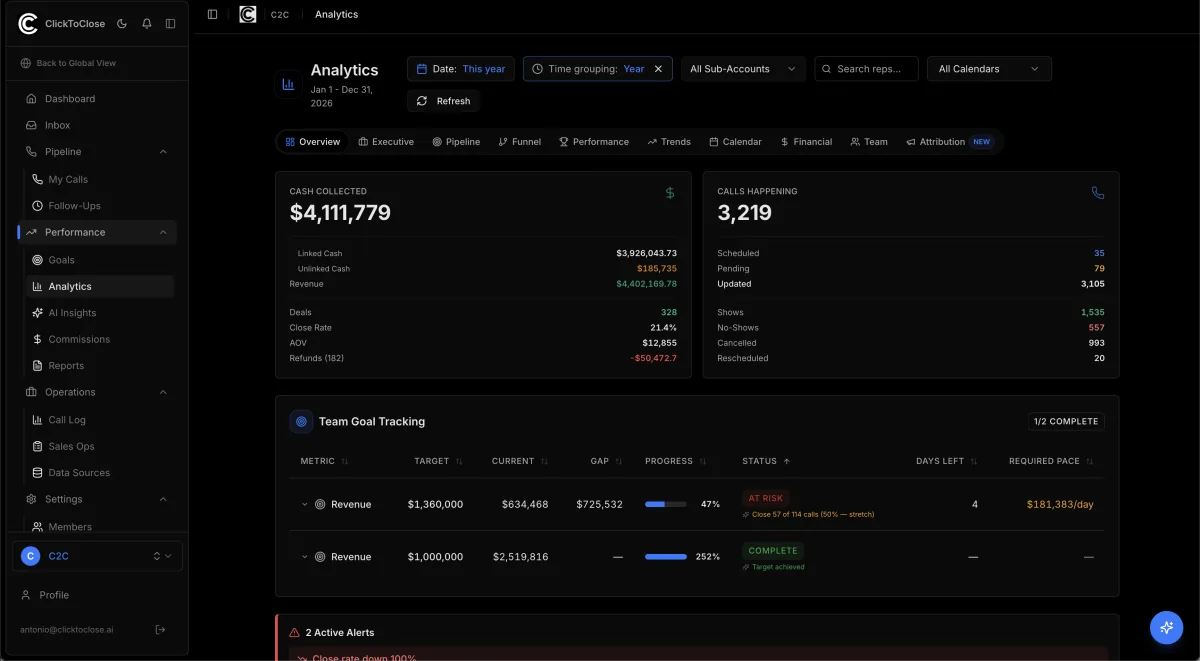
Start on Overview. You can see cash, revenue, deals, calls, and pace to target. The numbers stay visible because this is how an operator reads the month in real time.
0:23 Sales forecast and follow-ups
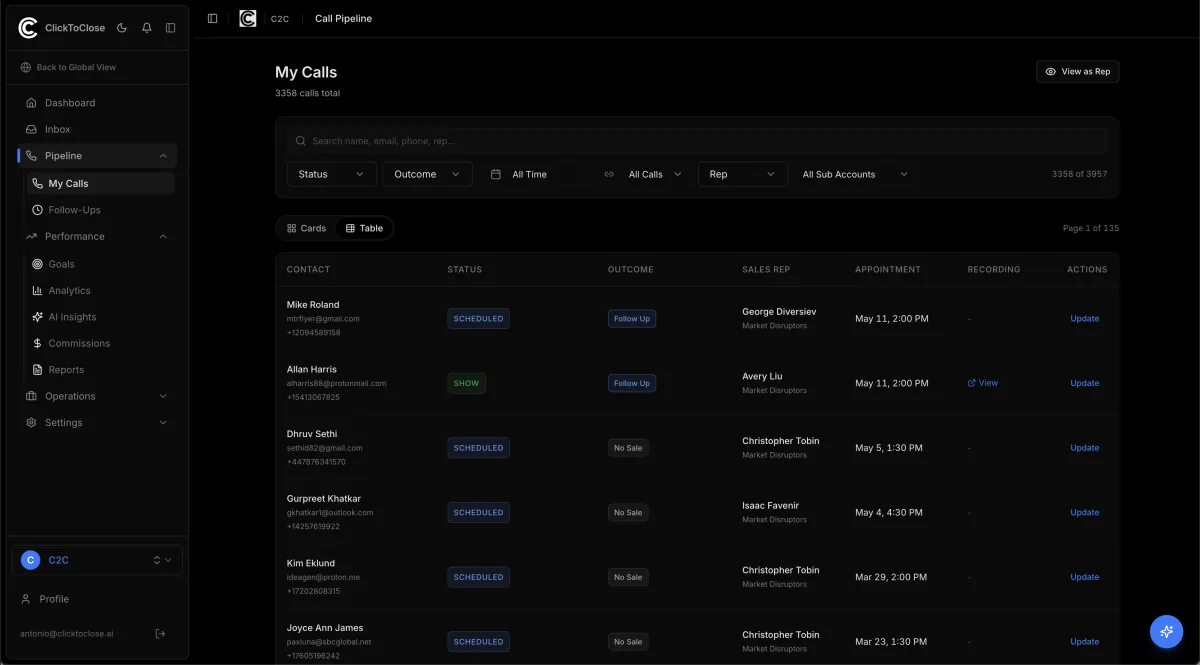
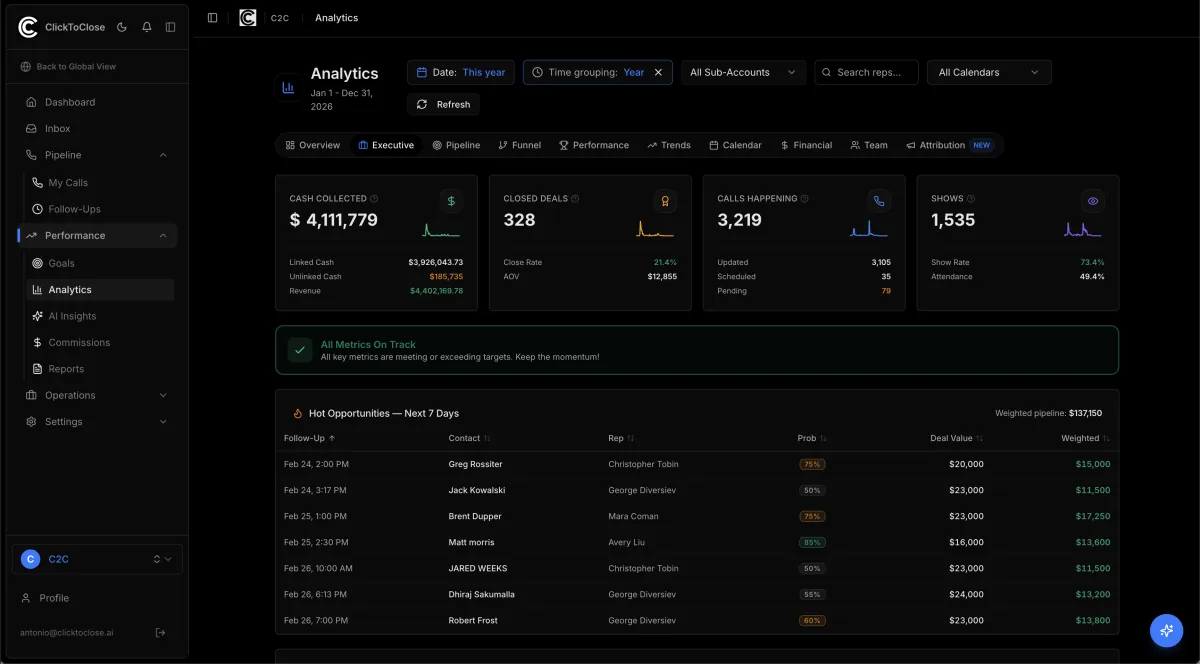
Zoom into Sales. Forecast stays separate from committed cash. Follow-ups are visible before they go stale, so a manager knows what can still change this week.
0:33 Claude and Slack agents
ClickToClose connects with Claude and agents in Slack. They can help closers update pipeline stages, follow up with leads, and handle the repetitive work that gets skipped between calls.
0:46 Commissions and pipeline compliance
Every update feeds the reporting layer. When a closer moves an opportunity, ClickToClose updates the pipeline and recalculates commissions against the current deal state. Commission visibility follows the pipeline, so closers must keep opportunities current before payout review. That creates compliance without another spreadsheet or a manager chasing people all day.
1:06 Marketing and finance
Marketing shows which sources produce customers and cash. Finance reconciles booked revenue with cash collected, failed payments, refunds, and timing.
1:15 Operating outcome
Closers get more time to sell. Managers get a cleaner pipeline. Finance gets commission numbers based on what is actually happening.
Sales funnel analytics
Measure scheduled calls, shows, no-shows, sales, close rate, and stage-level drop-off with one set of definitions.
Revenue and collections
Keep booked revenue, deposits, cash collected, payment plans, and refunds separate so the financial view reflects what happened.
Rep and calendar performance
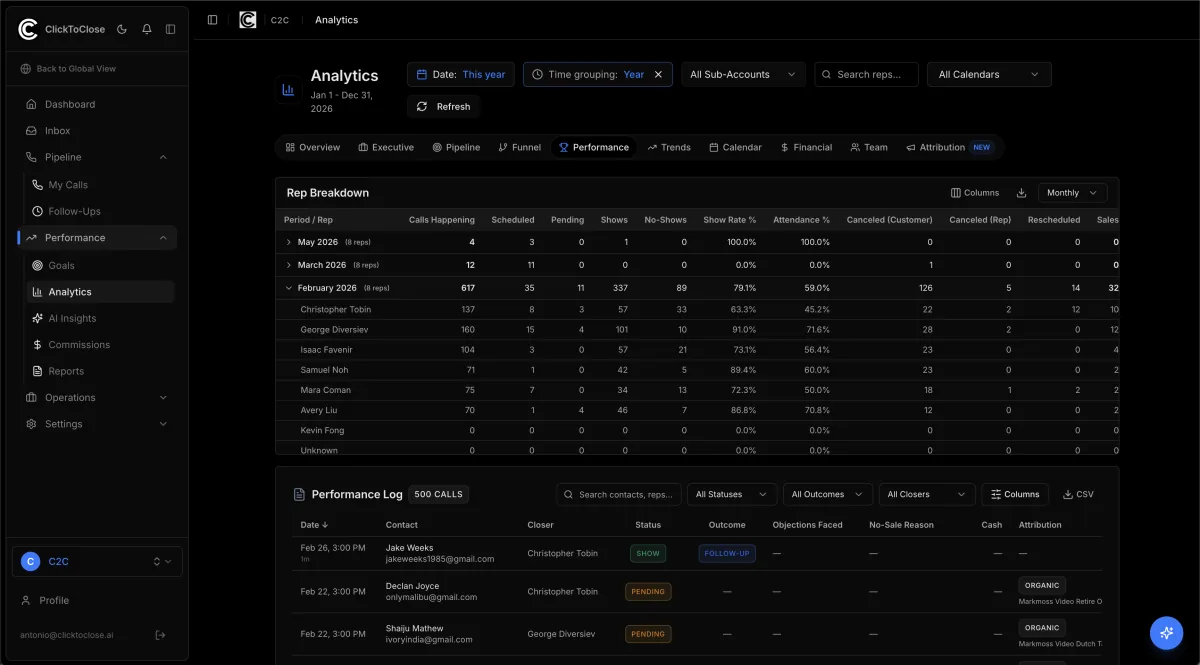
Compare setters, closers, calendars, periods, and sub-accounts without rebuilding the report for each team.
Attribution and channel economics
Connect lead sources and channels to appointments, sales outcomes, acquisition cost, and return on ad spend when spend data is available.
Sales analytics metrics and definitions
A dashboard is only useful when everyone knows what each number includes. These are the operating definitions ClickToClose keeps consistent.
| Metric | Definition | Source records | Decision it supports |
|---|---|---|---|
| Show rate | Shown appointments divided by scheduled appointments in the selected view. | Appointment and call outcomes | Find calendar, confirmation, and attendance problems. |
| Close rate | Verified sales divided by completed sales conversations in the selected view. | Call outcomes and matched sales | Compare closer performance and offer conversion. |
| Booked revenue | The contracted value attached to verified sales, kept separate from collections. | Sales records and payment plans | Measure what the team sold during the period. |
| Cash collected | Payments received from connected sources, with refunds visible in the financial view. | Payment and refund records | Understand the cash produced by the sales operation. |
| Revenue per call | Booked revenue divided by completed sales conversations for the selected segment. | Matched calls and sales | Compare the economic output of reps, calendars, and sources. |
| Channel economics | Sales and collections connected to source and spend data when those inputs are available. | Attribution, sales, and ad spend | Review acquisition cost and return on ad spend. |
Who uses high-ticket sales analytics
Founder or executive
See whether pipeline, sales, and cash are moving together before making a hiring or budget decision.
Sales leader
Compare setters, closers, calendars, outcomes, and follow-up gaps using the same operating definitions.
Finance or RevOps
Reconcile claimed sales with payments, refunds, attribution, and commission records.
Agency operator
Review several GoHighLevel sub-accounts while keeping each team's access and records scoped correctly.
See the records behind the dashboard
A top-line number should lead back to the call, rep, payment, or exception that produced it. These product views keep that path visible.
A customer result from a high-ticket sales team
The most useful analytics change the way managers coach and operate. This customer statement is published with its original attribution and wording.
"I've built and managed countless sales teams, and the hardest part is getting B-players to perform like A-players. ClickToClose gives you the exact blueprint by uniting marketing and sales data. Using it, I improved my team's overall close rate from 32% to 48% in record time."
Ian Weinberg, CEO & Founder, 1 Call Closers
This is a customer testimonial, not an independently audited causal study. Individual results vary. View the original published testimonial.
How it works
- 1. Connect the approved CRM, call, payment, and attribution sources.
- 2. Normalize appointment outcomes, sales, deposits, payments, and refunds.
- 3. Resolve setter, closer, calendar, source, and channel ownership.
- 4. Review exceptions before the numbers enter the operating dashboard.
- 5. Filter the same definitions by period, rep, calendar, sub-account, source, or channel.
Sales analytics software compared
The right reporting layer depends on whether your team needs a chart, a flexible analysis tool, or an operating system that keeps the underlying records accountable.
| Option | Best for | Tradeoff |
|---|---|---|
| CRM reports | Pipeline activity and record-level sales work | Payment reconciliation, refunds, commissions, and cross-account definitions often live elsewhere. |
| Generic BI tools | Flexible analysis across a mature data warehouse | Your team still has to design, maintain, and govern the sales operating model. |
| Spreadsheets | Small, temporary analyses | Manual matching and formula changes make ownership, freshness, and audit history hard to trust. |
| ClickToClose | High-ticket teams that want an implemented sales operations layer | It is configured around your CRM, payment sources, roles, and operating rules rather than sold as a generic dashboard template. |
How ClickToClose calculates the reporting
Each metric is calculated from normalized appointment, outcome, payment, refund, and attribution records. Booked revenue and cash collected remain separate. The same definitions apply across periods, reps, calendars, sub-accounts, sources, and channels. Reconciliation exceptions stay visible so an operator can review the underlying record before relying on the number.
Frequently asked questions
What is sales analytics software?
Sales analytics software connects sales activity with outcomes and financial results. It helps leaders measure appointments, show rate, close rate, booked revenue, cash collected, rep performance, and attribution using consistent definitions instead of comparing separate CRM, payment, and spreadsheet reports.
Which metrics does ClickToClose track?
Core views include scheduled calls, show rate, no-show rate, close rate, booked revenue, cash collected, deal size, revenue per call, pipeline, team performance, attribution, and channel economics.
Does ClickToClose replace GoHighLevel?
No. ClickToClose adds a sales operations and analytics layer around GoHighLevel, payment sources, attribution data, and the workflows your team already uses.
Can teams compare reps, calendars, and sub-accounts?
Yes. The same metric definitions can be filtered by setter, closer, calendar, sub-account, source, channel, date range, and time grouping.
Does it distinguish booked revenue from cash collected?
Yes. A signed or claimed sale and the money received are different records. ClickToClose keeps booked revenue, deposits, cash collected, payment-plan activity, and refunds visible as separate measures.
How is ClickToClose priced?
ClickToClose is implemented around each team's CRM, payment sources, roles, and operating rules. Scope and pricing are reviewed during the demo after the current sales process is mapped.
Related sales operations systems
See how the reporting layer connects to the workflows and records that create the number.